Herdr Cheat Sheet

WebTerm Learn · Updated · CC BY 4.0

31 everyday Herdr keys and commands on one A4 landscape page.
The PDF is free and prints as is. No sign-up.

Click a key to open the lesson where you practice it.
A red ! marks a command you cannot undo.

Herdr Cheat Sheet

Run agents side by side

Start, detach, and come backherdr, ?, q

ctrl+blet govPress ctrl+b, let go, then press the next key
herdrStart Herdr (after detaching, brings the same screen back)
ctrl+b?List every key (help)
/
Search the help
esc
Close the help
ctrl+bqDetach (everything keeps running)
herdr server stopStop the server and everything in it!
your screenherdr serverctrl+b q detachesherdr comes backAfter you detach, your agents keep running on the server

Workspaces, tabs, and panesSpaces

Spaces● shop● web1 api2 logs$ claude● working$ npm testworkspace (the list on the left; ● is its state)tab (the top row)pane (each area)

Panesv, -, h j k l, tab, z, x

vto the right-downward
ctrl+bvSplit to the right
ctrl+b-Split downward
ctrl+bh/j/k/l
Move to the next pane
ctrl+btabNext pane (shift+tab goes back)
ctrl+bzZoom one pane (again to undo)
ctrl+bshift+pName the pane
ctrl+bxClose the pane!
exitExit the shell to close its pane

Tabsc, n, p, 1..9, shift+t, shift+x

ctrl+bcNew tab (asks for a name)
ctrl+bnNext tab
ctrl+bpPrevious tab
ctrl+b1Tab 1 (1 to 9)
ctrl+bshift+tRename the tab
ctrl+bshift+xClose the tab!

Workspaces (Spaces)shift+n, w, g, shift+w, shift+d

ctrl+bshift+nNew workspace
ctrl+bwNavigate mode (↑ ↓ to pick, then Enter)
ctrl+bgGo to (find a terminal and jump there)
ctrl+bshift+wRename the workspace
ctrl+bshift+dClose the workspace!
↑/↓
In navigate mode, pick a workspace
enter
Go into it
esc
Leave navigate mode

Watch your agentsclaude, o, herdr agent list

●blockedwaiting for your approval (plays a sound)●workingworking●donefinished, not seen yet○idlefinished and seen·unknownno agent
●blocked●working●done○idleenter approvesfinishesyou look
● claude needs attentionshop · 1When an agent elsewhere needs you, this shows up→ ctrl+b o takes you to that pane
claudeStart an agent in a pane
ctrl+boJump to the pane that needs you
herdr agent listList every agent and its state
WebTerm LearnCC BY 4.0 WebTerm Learn · October 2026 edition · Practice every command in a browser terminal at learn.webterm.app

Save or share as images

A PNG (2246×1588). Post it or drop it into your team docs.

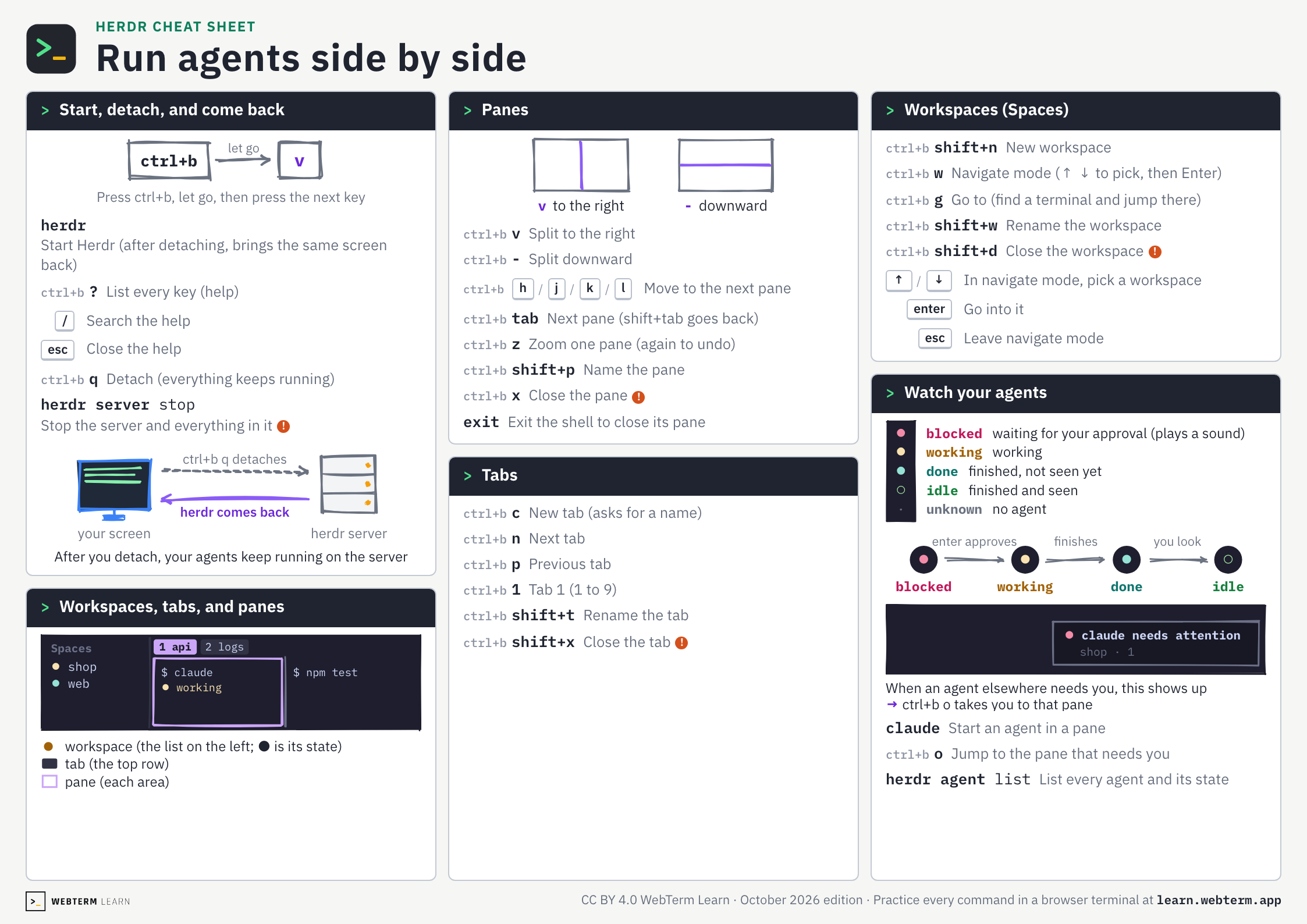
Herdr cheat sheet, page 1: Run agents side by side
Open the image

FAQ

Is this cheat sheet free?
Yes. There is no sign-up. Download the PDF or the images straight from this page.
How do I know an agent is waiting for my approval?
Its mark in the sidebar turns into a red ● (blocked) and a sound plays. Press ctrl+b, let go, then press o to jump to that pane.
How do I print it?
Download the PDF and print it on A4 paper in landscape orientation. It fits on one page.
Can I hand it out in a class or at work?
Yes. It is licensed under CC BY 4.0, so you can share and adapt it as long as you credit WebTerm Learn (learn.webterm.app).
Where can I practice Herdr?
In the WebTerm Learn Herdr course, which you play through like a game, right in your browser. Every key on the sheet links to the lesson that teaches it.

License

CC BY 4.0. Share it, adapt it and use it in classes or training, as long as you credit WebTerm Learn (learn.webterm.app). CC BY 4.0