tmux Cheat Sheet

WebTerm Learn · Updated · CC BY 4.0

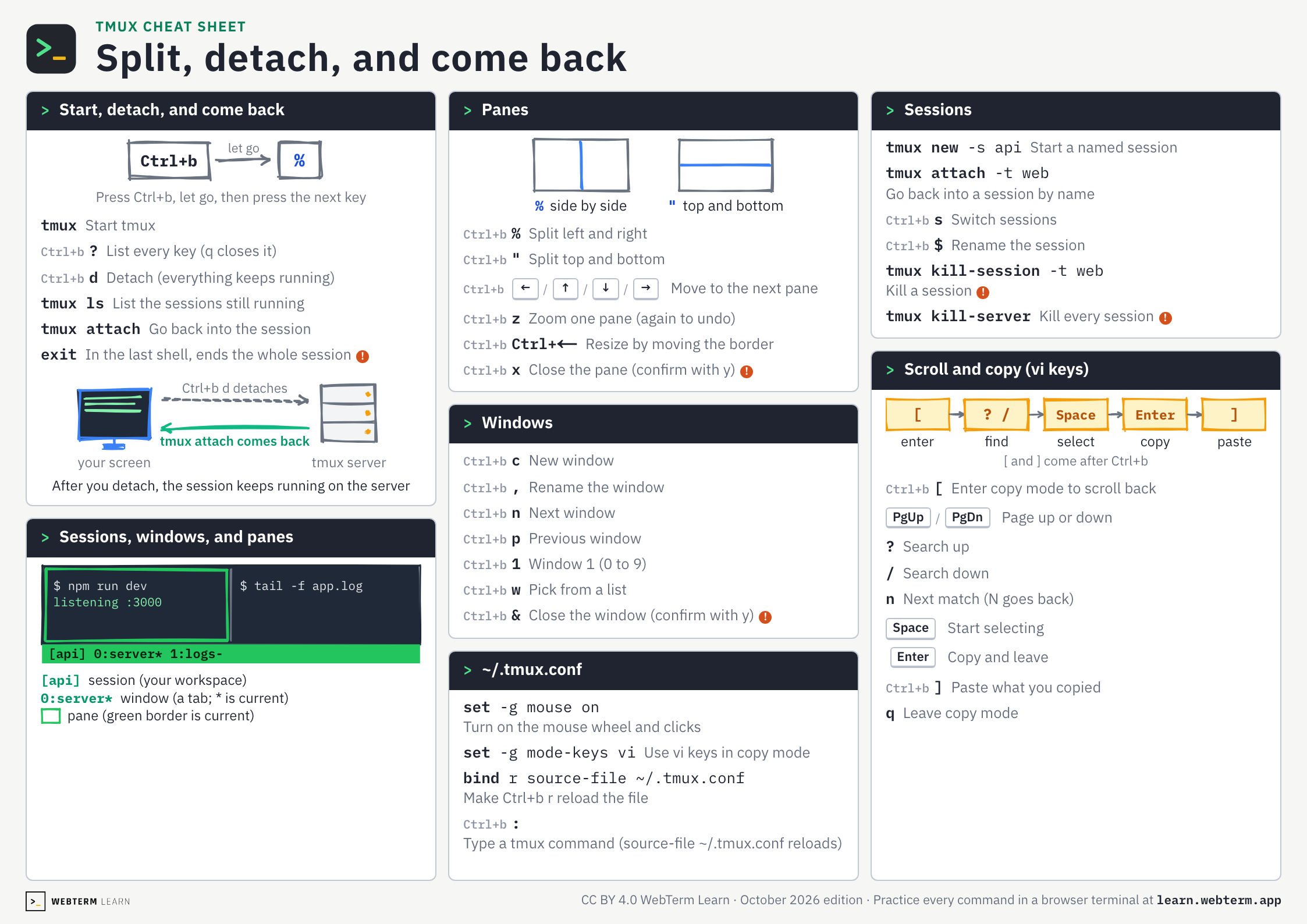
38 everyday tmux keys and commands on one A4 landscape page.
The PDF is free and prints as is. No sign-up.

Click a key to open the lesson where you practice it.
A red ! marks a command you cannot undo.

tmux Cheat Sheet

Split, detach, and come back

Start, detach, and come backtmux, d, tmux ls, tmux attach

Ctrl+blet go%Press Ctrl+b, let go, then press the next key
tmuxStart tmux
Ctrl+b?List every key (q closes it)
Ctrl+bdDetach (everything keeps running)
tmux lsList the sessions still running
tmux attachGo back into the session
exitIn the last shell, ends the whole session!
your screentmux serverCtrl+b d detachestmux attach comes backAfter you detach, the session keeps running on the server

Sessions, windows, and panes[api] 0:server*

$ npm run devlistening :3000$ tail -f app.log[api] 0:server* 1:logs-[api]session (your workspace)0:server*window (a tab; * is current)pane (green border is current)

Panes%, ", z, x

%side by side"top and bottom
Ctrl+b%Split left and right
Ctrl+b"Split top and bottom
Ctrl+b←/↑/↓/→
Move to the next pane
Ctrl+bzZoom one pane (again to undo)
Ctrl+bCtrl+←Resize by moving the border
Ctrl+bxClose the pane (confirm with y)!

Windowsc, ",", n, p, w, &

Ctrl+bcNew window
Ctrl+b,Rename the window
Ctrl+bnNext window
Ctrl+bpPrevious window
Ctrl+b1Window 1 (0 to 9)
Ctrl+bwPick from a list
Ctrl+b&Close the window (confirm with y)!

~/.tmux.confset -g, bind, source-file

set -g mouse onTurn on the mouse wheel and clicks
set -g mode-keys viUse vi keys in copy mode
bind r source-file ~/.tmux.confMake Ctrl+b r reload the file
Ctrl+b:Type a tmux command (source-file ~/.tmux.conf reloads)

Sessionstmux new -s, attach -t, s, $

tmux new -s apiStart a named session
tmux attach -t webGo back into a session by name
Ctrl+bsSwitch sessions
Ctrl+b$Rename the session
tmux kill-serverKill every session!

Scroll and copy (vi keys)[, ?, /, Space, Enter, ]

[enter? /findSpaceselectEntercopy]paste[ and ] come after Ctrl+b
Ctrl+b[Enter copy mode to scroll back
PgUp/PgDn
Page up or down
?Search up
/Search down
nNext match (N goes back)
Space
Start selecting
Enter
Copy and leave
Ctrl+b]Paste what you copied
qLeave copy mode
WebTerm LearnCC BY 4.0 WebTerm Learn · October 2026 edition · Practice every command in a browser terminal at learn.webterm.app

Save or share as images

A PNG (2246×1588). Post it or drop it into your team docs.

tmux cheat sheet, page 1: Split, detach, and come back
Open the image

FAQ

Is this cheat sheet free?
Yes. There is no sign-up. Download the PDF or the images straight from this page.
How do I leave tmux without stopping what is running?
Press Ctrl+b, let go, then press d. You detach and everything keeps running. tmux attach brings you back.
How do I print it?
Download the PDF and print it on A4 paper in landscape orientation. It fits on one page.
Can I hand it out in a class or at work?
Yes. It is licensed under CC BY 4.0, so you can share and adapt it as long as you credit WebTerm Learn (learn.webterm.app).
Where can I practice tmux?
In the WebTerm Learn tmux course, which you play through like a game, right in your browser. Every key on the sheet links to the lesson that teaches it.

License

CC BY 4.0. Share it, adapt it and use it in classes or training, as long as you credit WebTerm Learn (learn.webterm.app). CC BY 4.0