Classes that are fun,and build real-world skills
Students enjoy it and keep going on their own. Instructors step in only where it counts.
Build the skills needed from day one on the job, while still a student.
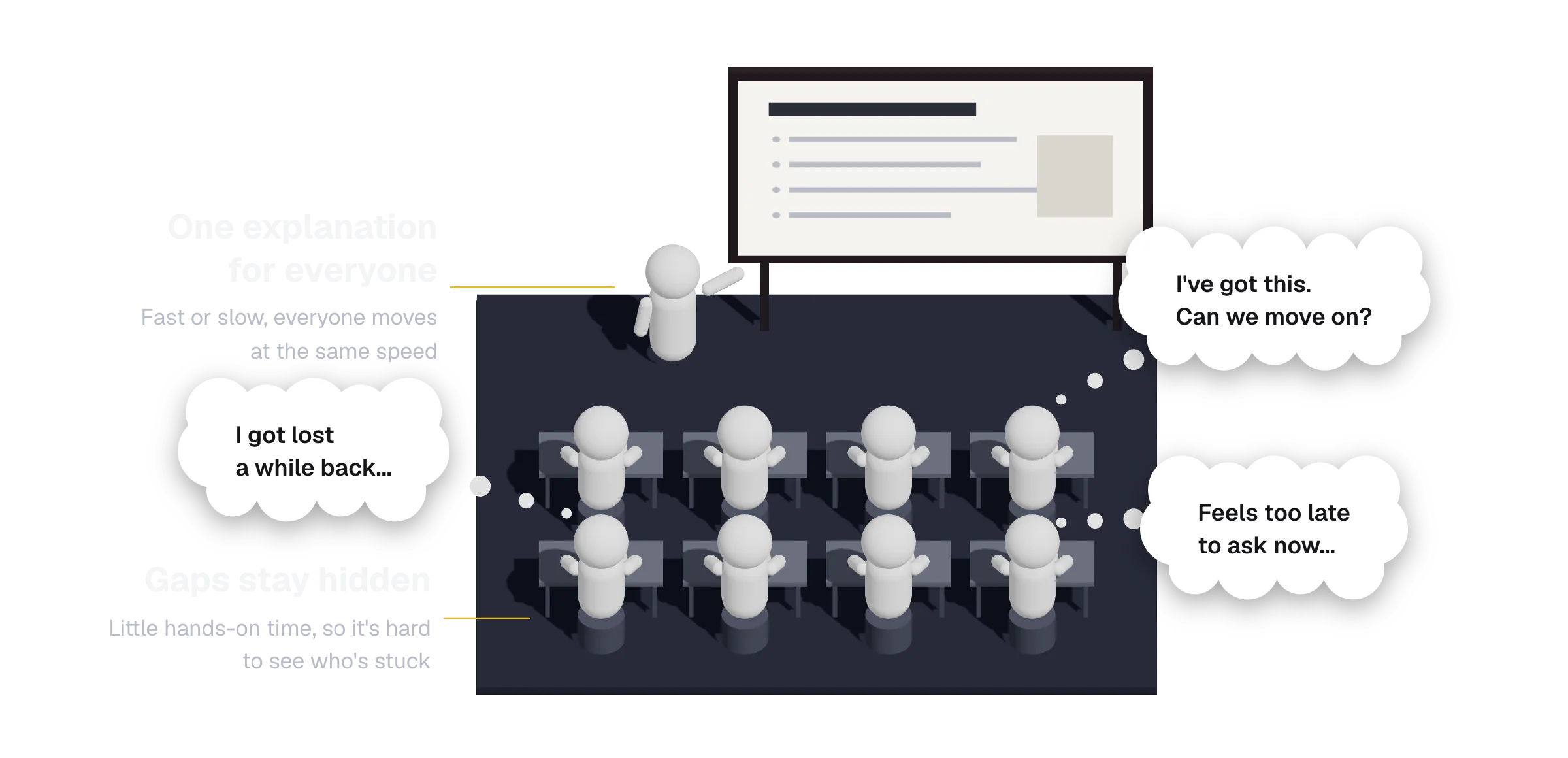
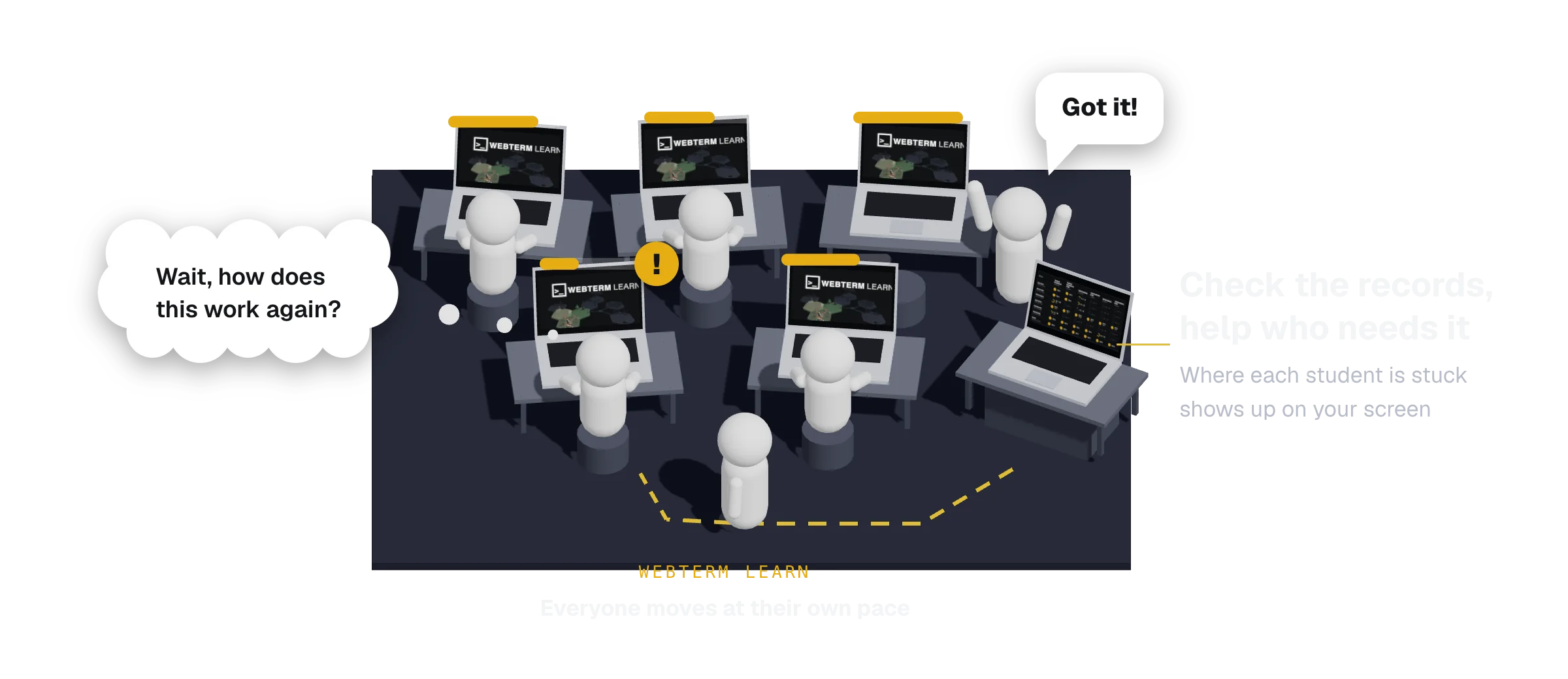
Students move forward on their own.You support them where it counts.
They practice right after each lesson and keep going even when they get stuck.
You check the records and reach out only to the students who need it.
Learn in a few slides, then practice on the spot
Each topic is taught with live terminals and hand-drawn diagrams, then checked right away with hands-on tasks.
Hints, skips, and one-click undo mean nobody stays stuck.
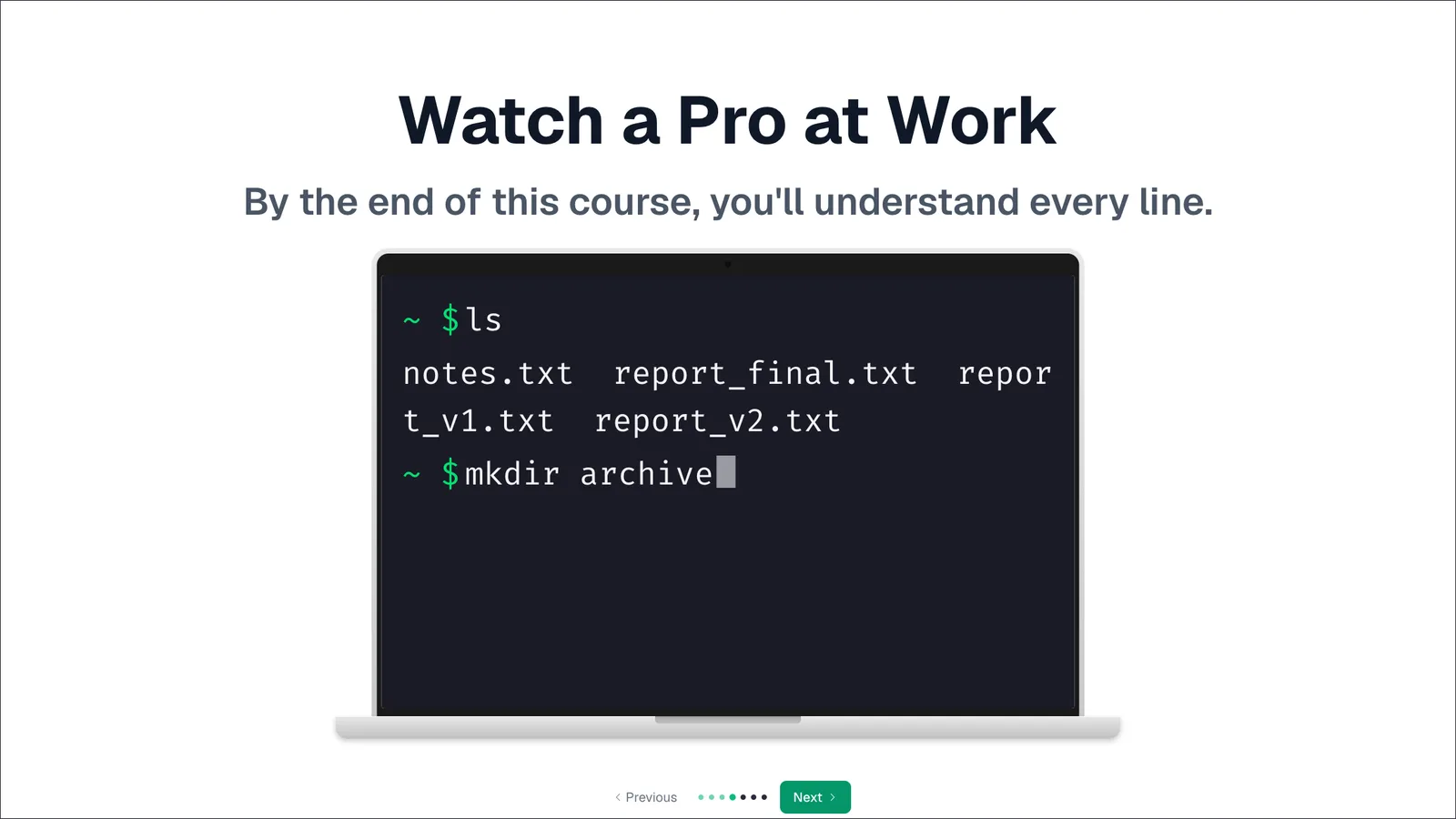
SlideTerminal Introduction. Watch a pro at work in a live terminal
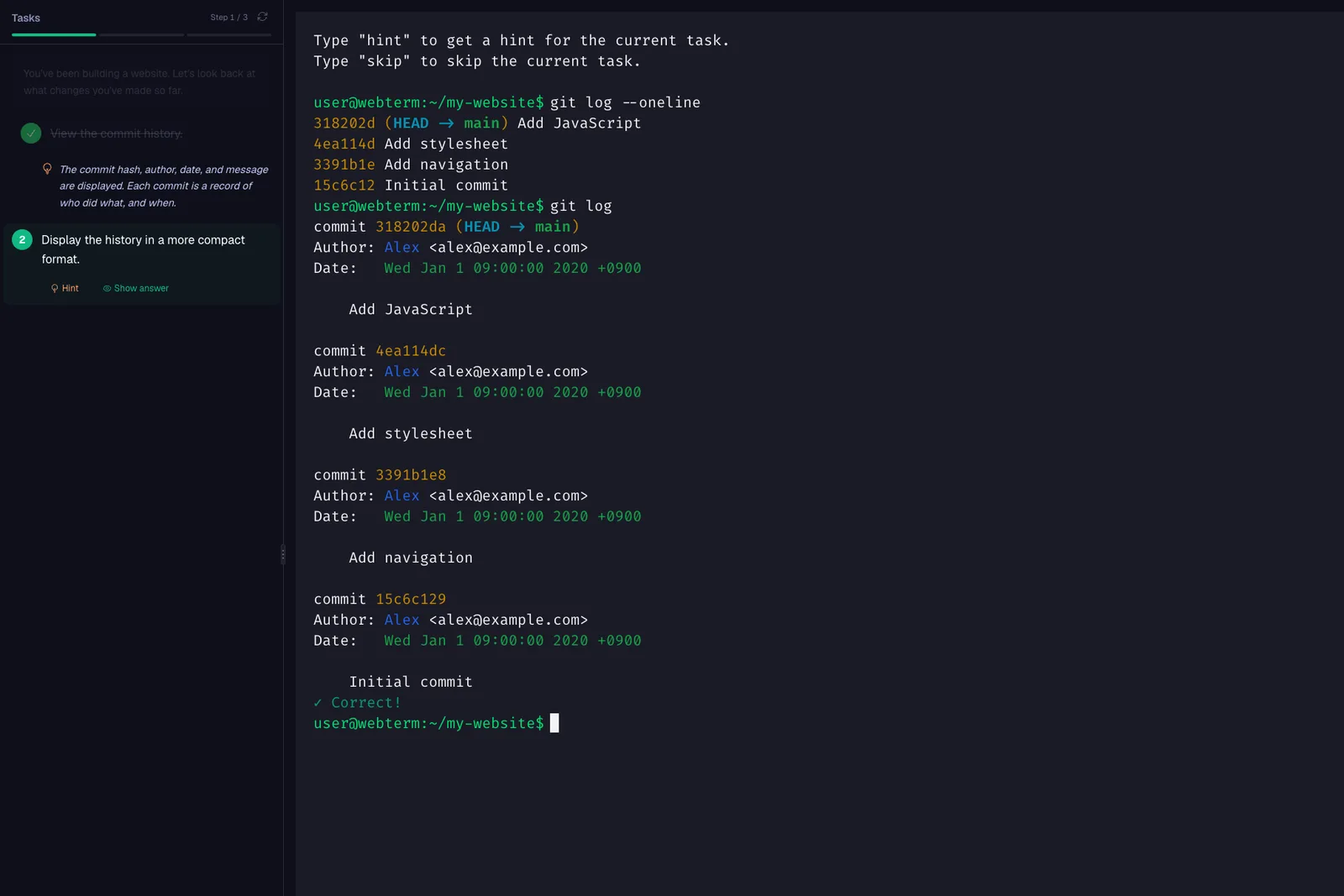
ExerciseGit Introduction. Reading the history. Every command is checked, and finished tasks get a mark
Learners finish, even outside of class
What sets WebTerm Learn apart is that learners can keep going on their own.
High completion rates are the proof.
As of September 2026. The share of people who started a course and finished it. These are people learning on their own, not in a class, and include people who only tried it and people still learning, so the rates are expected to rise.
Training courses are short practice rounds over the same ground, taken after each course. MOOC figures are completions among enrollees: Harvard and MIT from Reich & Ruipérez-Valiente (2019) Science, 2017–18; the 221-course median from Jordan (2015) IRRODL.
See who's where at a glance
Students down the side, courses across the top.
Students who lean on hints or skips get flagged.
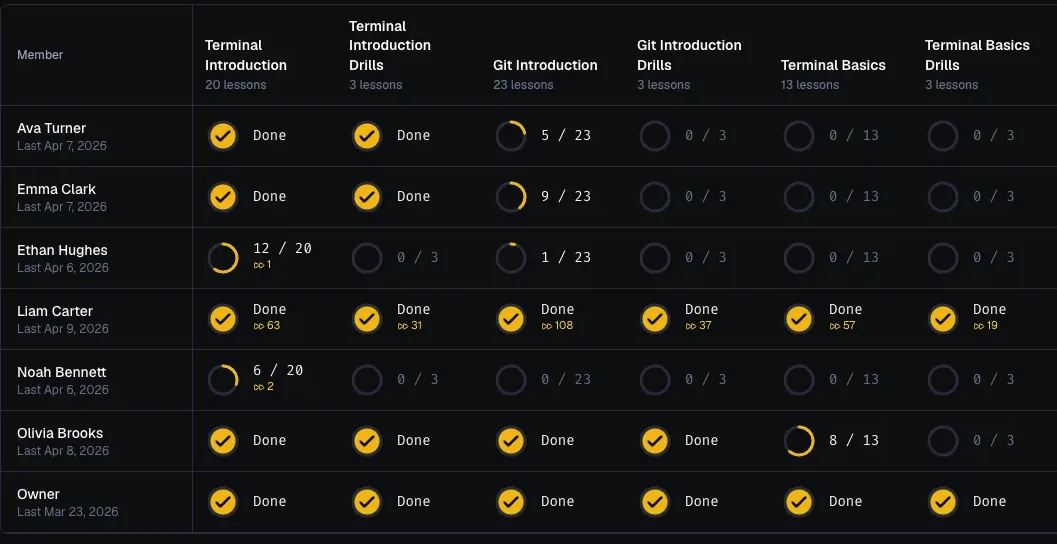
Want a walkthrough of these screens? Happy to show you.
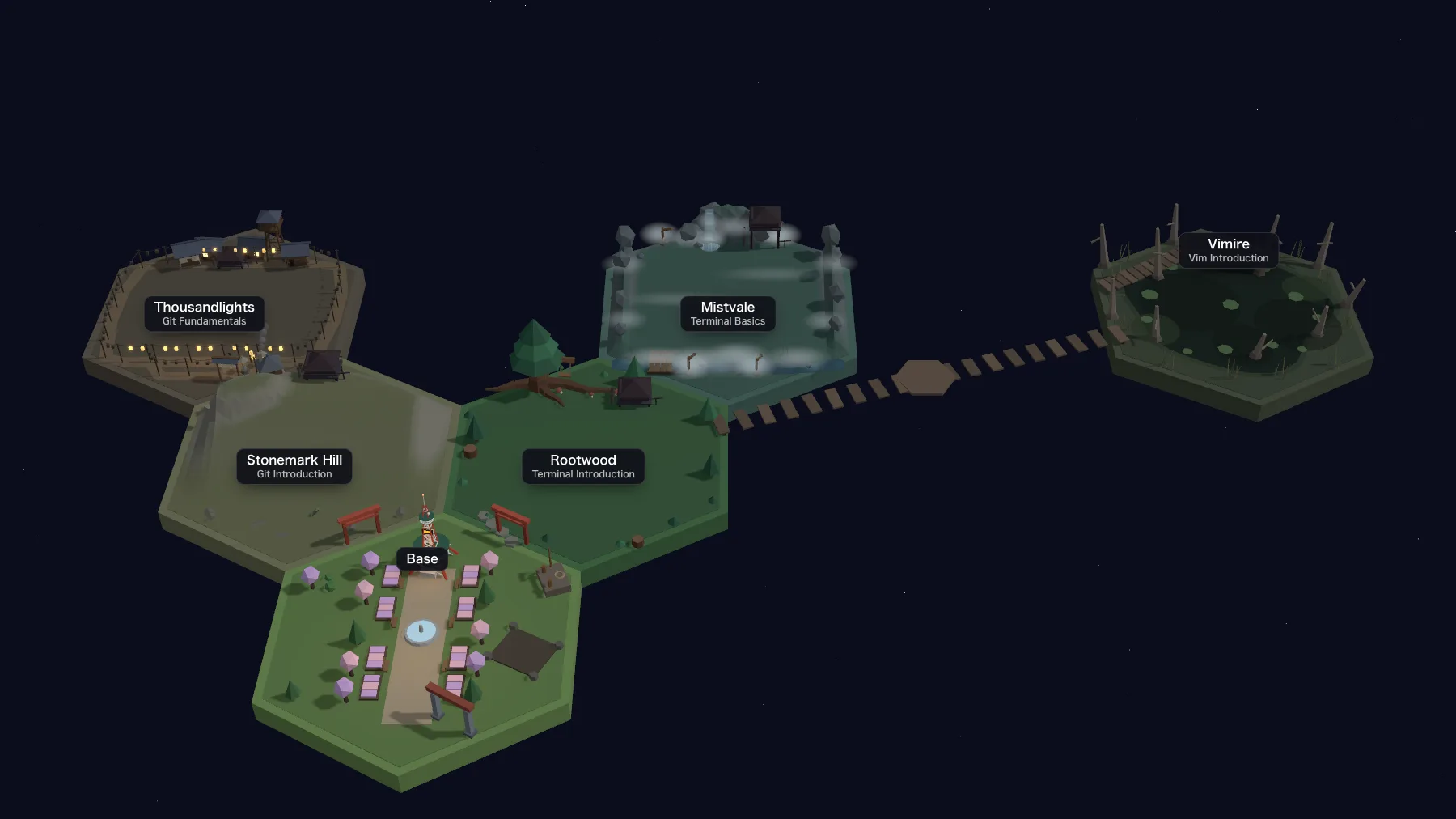
Talk to usYour class appearsas one world to explore
New areas open up in the order you choose.
Material that doesn't stop at "I think I get it"
Understanding a lecture is not the same as being able to do it. What sets material apart is whether it carries students through practice until skills stick.
What users say

“This is exactly the product for beginners who feel “the terminal is scary, but I want to master it!” You can learn all you want in an environment that's safe to break, so you can give things a try without hesitation. Just keep touching it, keep experimenting, and make those skills your own.”

“Even in the AI era, mastering the terminal is a must if you want to become a next-level engineer. I recommend this to anyone who feels intimidated by the terminal but is serious about becoming an engineer.”

“The slides were easy to follow even for a beginner. Whenever I got stuck, the hints showed me the way right away, and running the commands myself gave me a real sense of accomplishment.”
Used by working engineers too
Figures as of September 2026.
From the first conversation to the first class
- 01Talk
Share your course goals and class size
- 02Plan
Decide the courses and their order
- 03Apply
Start on the date your class begins
- 04First class
Students set out from the home base
Free of charge for educational institutions.
That includes every course and the progress screens for instructors.
Create a free team
Log in as the teacher and submit, and your team is ready right away.
Start with a conversation
How it fits your classes, how many students will use it.
Nothing needs to be decided yet. Just reach out.
A live walkthrough on screen is also available.