Vim Cheat Sheet

WebTerm Learn · Updated · CC BY 4.0

54 everyday Vim keys on one A4 landscape page.
The PDF is free and prints as is. No sign-up.

Click a key to open the lesson where you practice it.
A red ! marks a command you cannot undo.

Vim Cheat Sheet

Open, move, and edit

Open, save, and quit

vim README.mdOpen a file
Esc
Back to normal mode
:wSave
:qQuit
:wqSave and quit
:q!Quit without saving!

Modes

NormalInsertVisualCommand-linei a I A o Ov V Ctrl+v:Esc takes you back to normal

Start typing

iType before the cursor
aType after the cursor
IType at the start of the line
AType at the end of the line
oOpen a new line below
OOpen a new line above

Move the cursor

h←leftj↓downk↑upl→right
wNext word
bPrevious word
0Start of the line
$End of the line
fTo the next character you type

Delete, copy, and undo

xDelete a character
ddDelete the line
3ddDelete 3 lines (count first)
yyCopy the line
pPaste below (deleted lines too)
PPaste above
uUndo
Ctrl+r
Redo

Operator + motion

d+wdelete a wordWhat to doddeletecchangeycopyHow farwto the next word$to the end of the line
dwDelete a word
cwChange a word
d$Delete to the end of the line
c$Change to the end of the line
.Repeat the last change

Text objects

see the quick foxdiwthe word onlydawwith the space after it
diwDelete the word under the cursor
dawDelete the word and its space
ci"Change inside quotes
ci(Change inside parentheses

Macros

qaStart recording into a
qStop recording
@aPlay it back
@@Play it again
3@aPlay it 3 times

Search and replace

:%s/old/new/g%whole filessubstituteoldwhat to findnewwhat to putgevery match on the line
:s/2025/2026/Replace on this line
:%s/http:/https:/gReplace every match in the file
:%s/btn/button/gcConfirm each one (y / n)

Visual mode

vVCtrl+v
vSelect characters
VSelect lines
Ctrl+vSelect a block
dDelete the selection
yCopy the selection
>Indent the selected lines
IType at the start of each line in a block
WebTerm LearnCC BY 4.0 WebTerm Learn · October 2026 edition · Practice every command in a browser terminal at learn.webterm.app

Save or share as images

A PNG (2246×1588). Post it or drop it into your team docs.
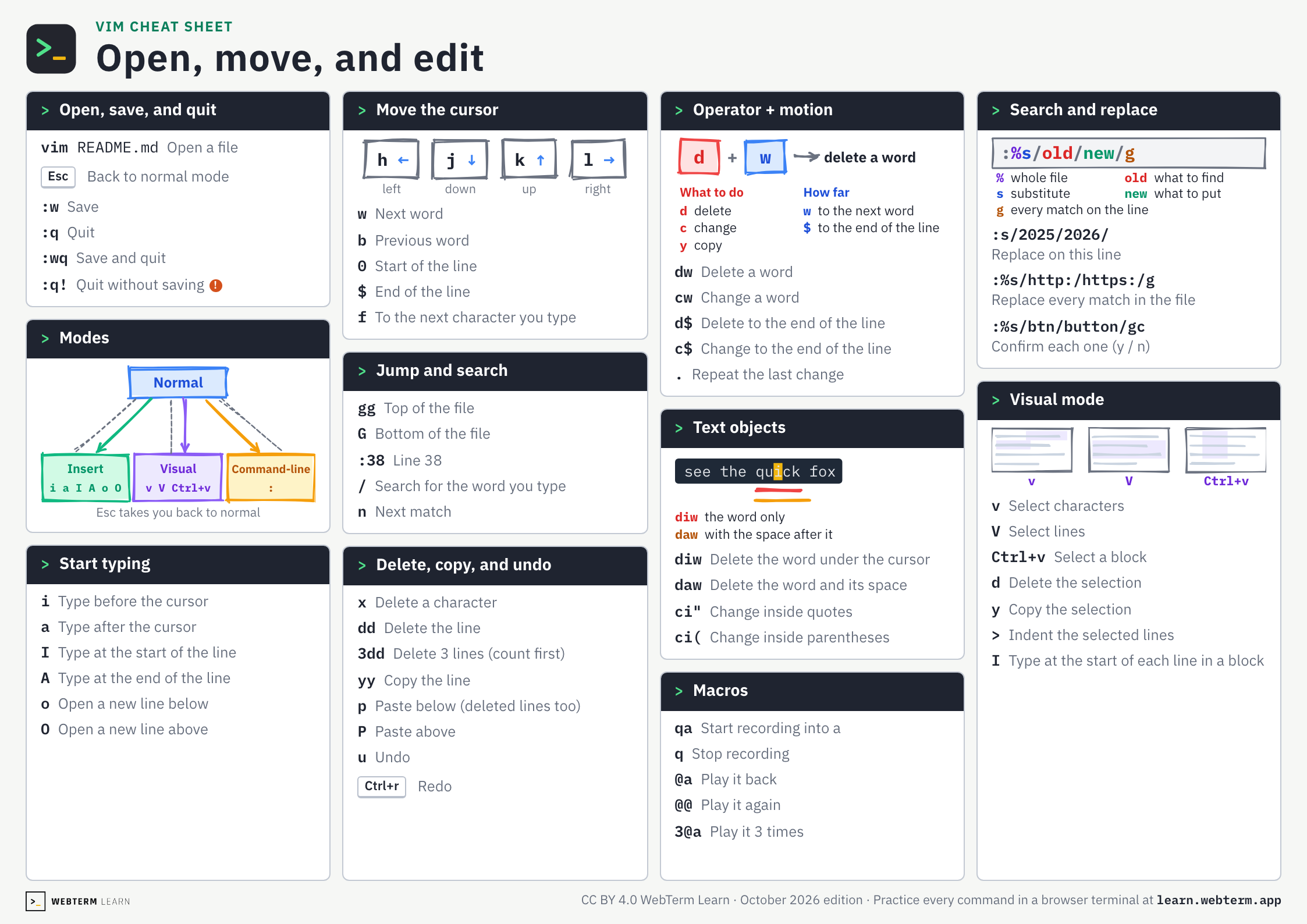
Vim cheat sheet, page 1: Open, move, and edit
Open the image

FAQ

Is this cheat sheet free?
Yes. There is no sign-up. Download the PDF or the images straight from this page.
How do I get out of Vim?
Press Esc, then type :q! and press Enter to quit without saving. To save and quit, type :wq instead.
How do I print it?
Download the PDF and print it on A4 paper in landscape orientation. It fits on one page.
Can I hand it out in a class or at work?
Yes. It is licensed under CC BY 4.0, so you can share and adapt it as long as you credit WebTerm Learn (learn.webterm.app).
Where can I practice Vim?
In the WebTerm Learn Vim course, which you play through like a game, right in your browser. Every key on the sheet links to the lesson that teaches it.

License

CC BY 4.0. Share it, adapt it and use it in classes or training, as long as you credit WebTerm Learn (learn.webterm.app). CC BY 4.0