Linux Commands Cheat Sheet
Linux Commands Cheat Sheet
WebTerm Learn · Updated · CC BY 4.0
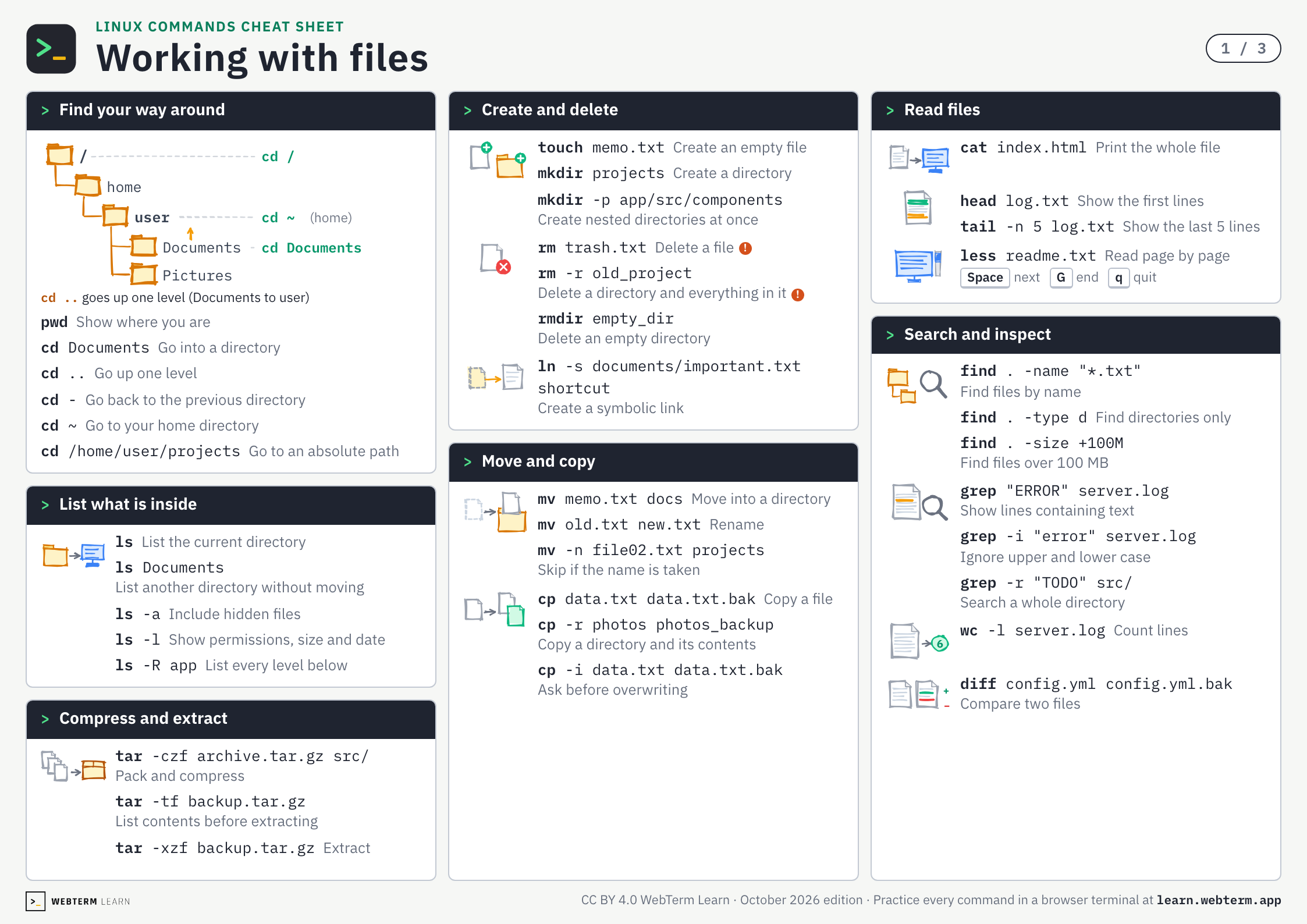
112 everyday Linux commands and shortcuts with examples, on three A4 landscape pages.
The PDF is free and prints as is. No sign-up.
Click a command to open the lesson where you practice it.
A red ! marks a command you cannot undo.
1 / 3
Linux Commands Cheat Sheet
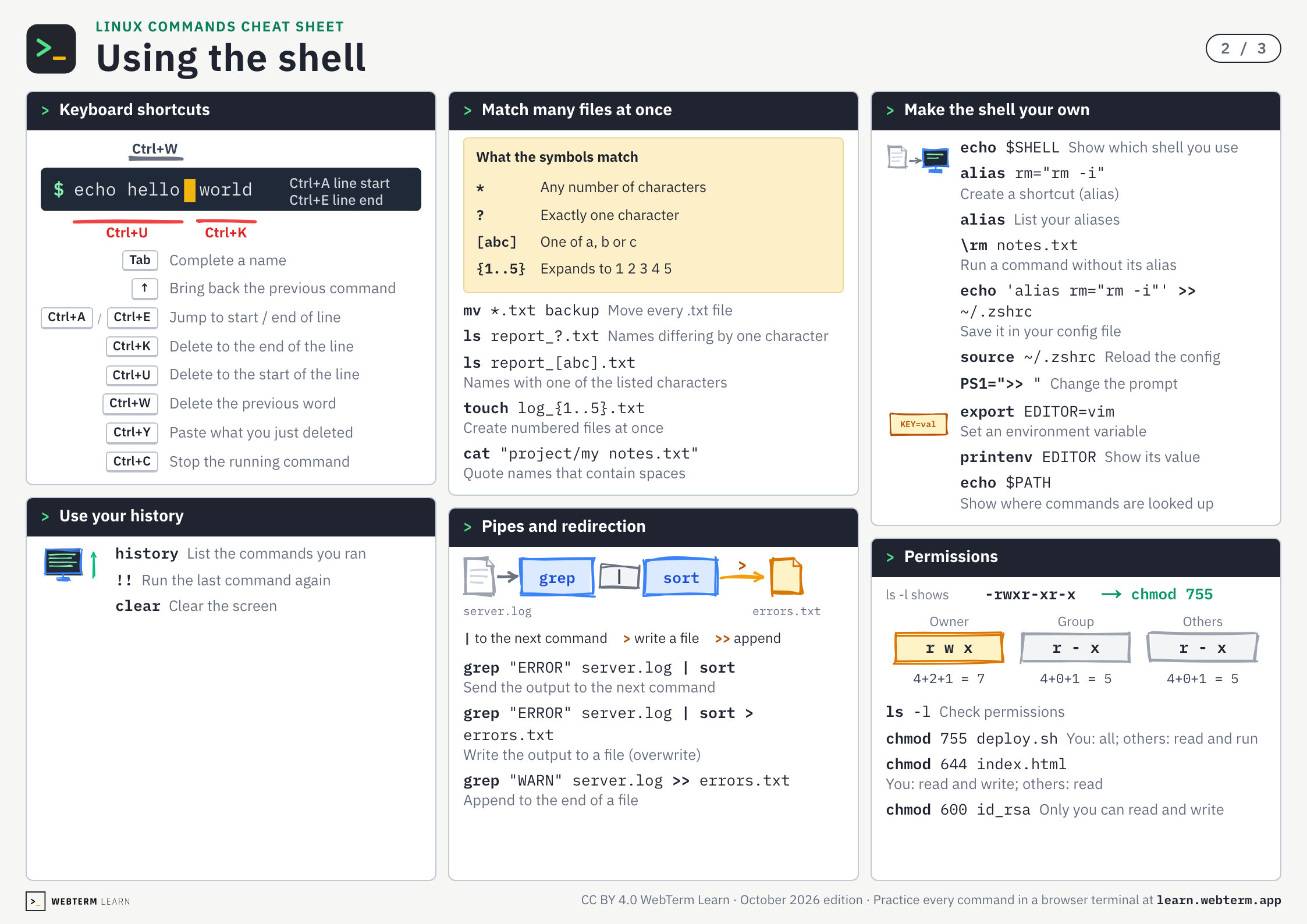
Using the shell
Keyboard shortcutsTab, Ctrl
- Tab
- Complete a name
- ↑
- Bring back the previous command
- Ctrl+A/Ctrl+E
- Jump to start / end of line
- Ctrl+K
- Delete to the end of the line
- Ctrl+U
- Delete to the start of the line
- Ctrl+W
- Delete the previous word
- Ctrl+Y
- Paste what you just deleted
- Ctrl+C
- Stop the running command
Use your historyhistory, !!, clear
Match many files at once*, ?, [ ], { }
What the symbols match
| * | Any number of characters |
| ? | Exactly one character |
| [abc] | One of a, b or c |
| {1..5} | Expands to 1 2 3 4 5 |
Pipes and redirection|, >, >>
Make the shell your ownalias, source, export
Permissionschmod
Linux Commands Cheat Sheet
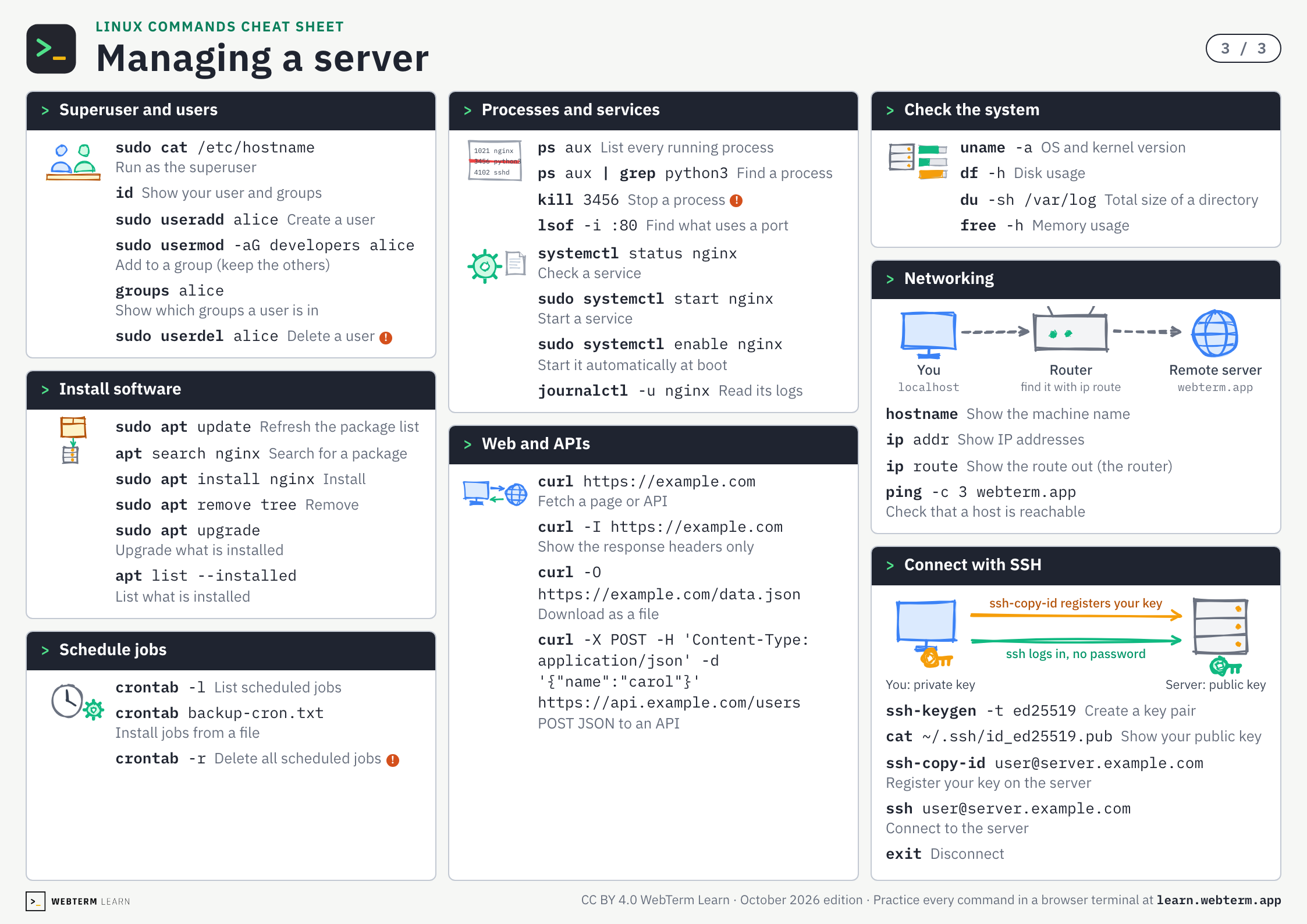
Managing a server
Superuser and userssudo, useradd, usermod
Install softwareapt
Schedule jobscrontab
Processes and servicesps, kill, systemctl
Web and APIscurl
Check the systemuname, df, du, free
Networkingip, ping
Connect with SSHssh, ssh-keygen
Save or share as images
One PNG per page (2246×1588). Post them or drop them into your team docs.
FAQ
- Is this cheat sheet free?
- Yes. There is no sign-up. Download the PDF or the images straight from this page.
- How do I print it?
- Download the PDF and print it on A4 paper in landscape orientation. It is 3 pages, one sheet per page.
- Can I hand it out in a class or at work?
- Yes. It is licensed under CC BY 4.0, so you can share and adapt it as long as you credit WebTerm Learn (learn.webterm.app).
- Where can I practice these commands?
- In the WebTerm Learn terminal courses, which you play through like a game, right in your browser. Every command on the sheet links to the lesson that teaches it.
License
CC BY 4.0. Share it, adapt it and use it in classes or training, as long as you credit WebTerm Learn (learn.webterm.app). CC BY 4.0