Herdr's Keys Mostly Work in tmux Too
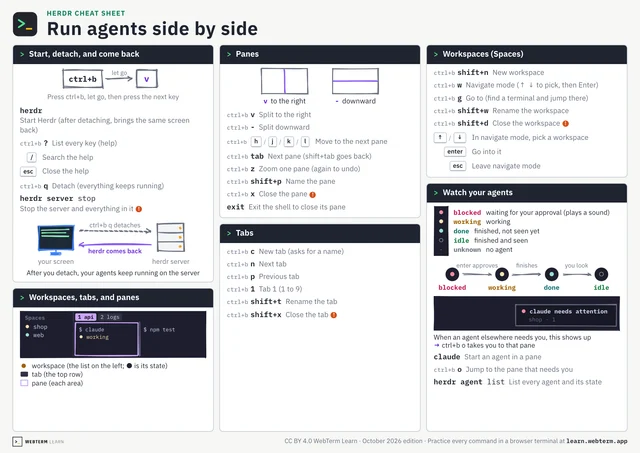
In Herdr, press and release Ctrl+b, then c for a new tab. n and p for the neighbours. 1 for the first one.
That sequence is not unique to Herdr.
tmux, the widely used tool for splitting up a terminal, has the same default prefix: Ctrl+b. c creates, n and p step through, a number jumps to that position. Even z, blowing one pane up to fill the screen, is the same.
Some things differ. Splitting in tmux is % and ", and leaving is d. What Herdr calls a tab, tmux calls a window, and what Herdr calls a workspace, tmux calls a session.
Different names and a few different keys. The way it is put together is the same.
What you learn in Herdr is not one tool, but the habit of carving up a terminal.