restore Is an Overwrite

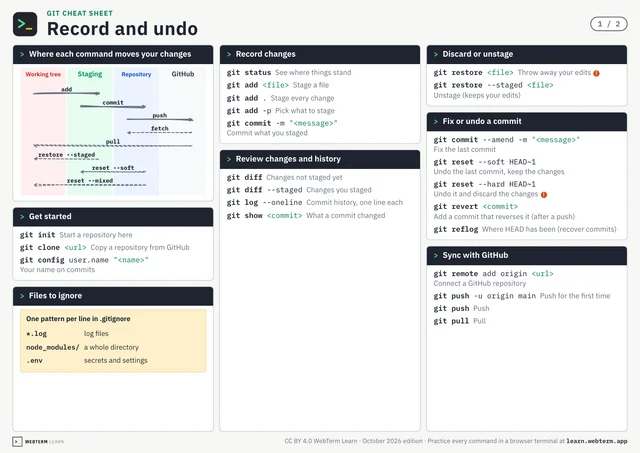
git restore is often described as "undoing changes," but what it actually does is overwrite the working tree file with the content from the staging area (the index). If you haven't run add, the staging area matches your last commit. It's not like Ctrl+Z, which steps back one operation at a time. It replaces the entire file with the staged version.
This means the file's contents before restore are completely lost. Whether you made 10 edits or 100, they vanish in an instant. That's why restore is called an "irreversible operation." If you want to keep your current changes before restoring, you can temporarily stash them with git stash.
This might sound scary, but flip it around: as long as you've committed, you can recover from any editing mistake in a heartbeat. The habit of committing often becomes your ultimate safety net.
Commit before you break things. Restore when you do. Once this rhythm clicks, you'll never fear editing a file again.