The tragedy of putting a space in a filename

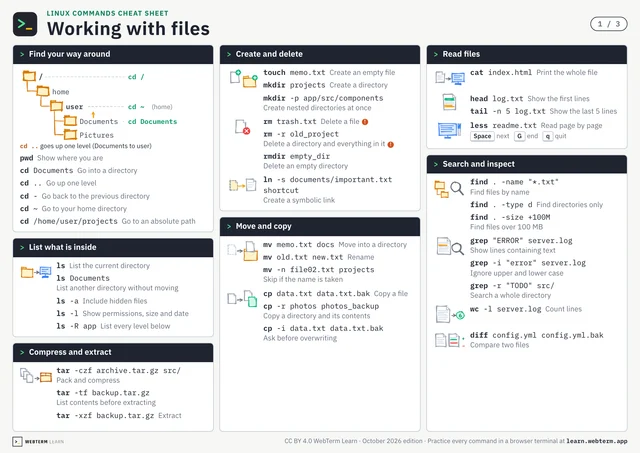
What happens if you type mv my file.txt backup/? The terminal interprets my and file.txt as separate arguments. So it reads: "move my and file.txt into backup/."
This is a classic terminal tragedy. A space is just "part of the name" to us humans, but to the shell, it's an argument separator.
The fix is simple: wrap it in quotes or escape with a backslash.
mv "my file.txt" backup/ or mv my\ file.txt backup/.
But the real pros avoid spaces altogether. Using - (hyphens) or _ (underscores) in filenames is an unwritten rule of the trade. my-file.txt or my_file.txt, with no worries at all.
How you name your files can save your future self. It's a small habit, but an important one.