For getting comfortable at the terminal
5 chapters · 20 lessonsAbout 1.5 h
Terminal Introduction
A free beginner course to learn how to use the terminal and Linux commands by actually typing them in your browser. No setup required, so you can start practicing today.
About this course
A terminal is a tool for controlling your computer directly by typing text commands. It is the foundation of everyday development work, and with AI tools like Claude Code it has become a more valuable skill than ever.
This is the very first course for anyone wondering "what even is a terminal?" No prior knowledge required. Everything is explained from the ground up.
From terminal operations like cursor movement and tab completion, to creating, moving, copying, and deleting files and directories, you'll build a complete set of everyday skills. Five chapters and 20 lessons keep you on a clear path.
Each lesson takes about 5 minutes, and the whole course takes about an hour and a half. Every exercise runs in a safe virtual environment inside your browser, so there is nothing to install and no way to break your own computer.
After this course, the terminal won't feel intimidating anymore, and you'll have a solid foundation to move on to Terminal Basics, Terminal Advanced, and the Git courses.
Sample Lessons
Skills you'll learn
Terminal Operations
Master cursor movement, tab completion, command history, and line-editing shortcuts to work comfortably in the terminal.
File & Directory Management
Create, copy, move, delete, and rename files and directories with confidence.
Understanding the File System
Learn tree structures and directory concepts so you can navigate to any location without hesitation.
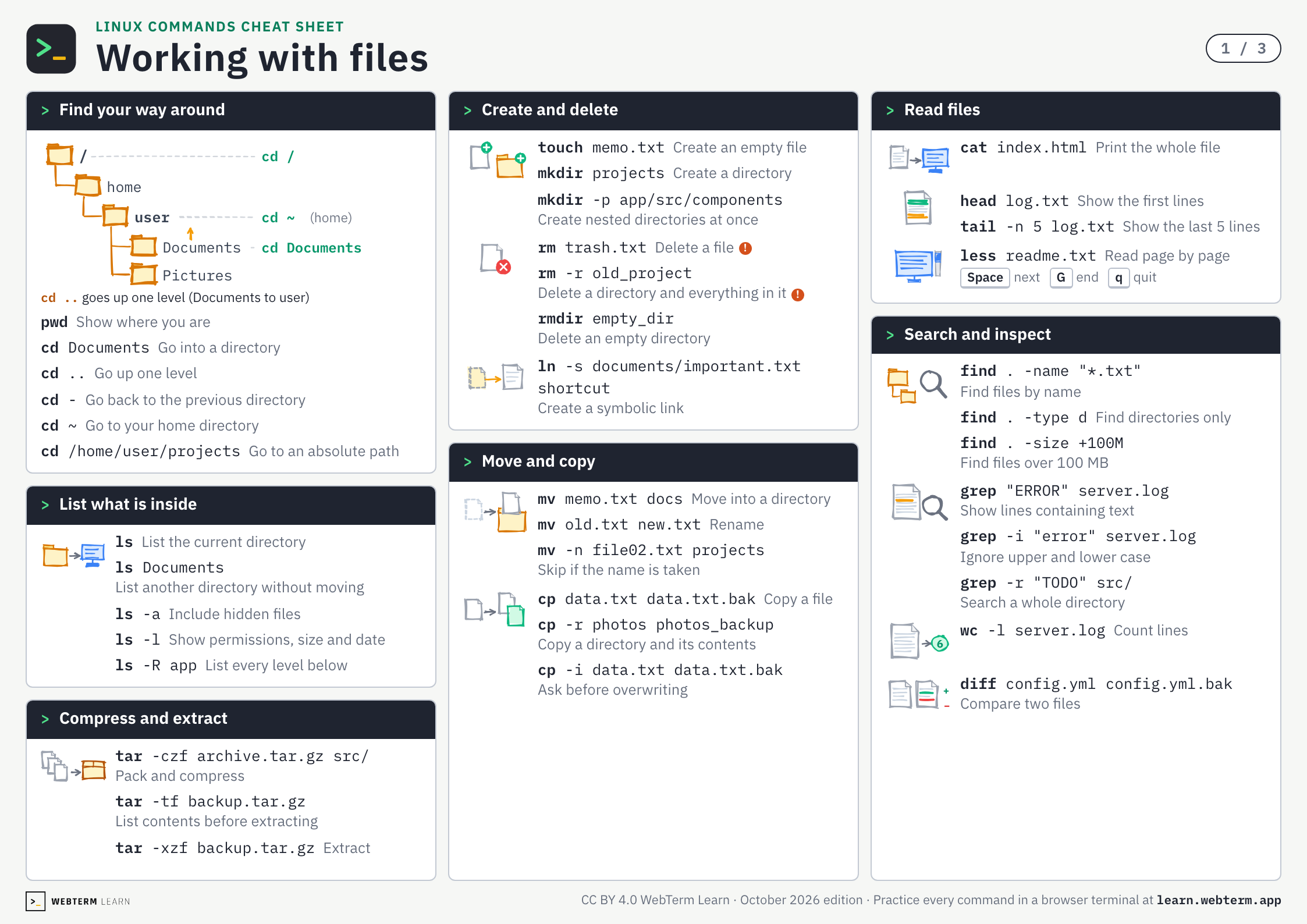
Linux Commands Cheat Sheet
Every command from the three terminal courses on three A4 pages. The PDF is free and prints as is.
Who this course is for
Want to Learn Programming the Right Way
The terminal is the first step. Perfect for those who want to build a solid foundation from the start.
Been Getting By, Want to Truly Understand
If you've been copy-pasting commands without really knowing why, this course helps you learn from the ground up and operate with confidence.
Want to Build Apps with AI Tools
Using AI coding tools effectively requires terminal fundamentals. Start building that foundation here.
Related Courses
Related articles
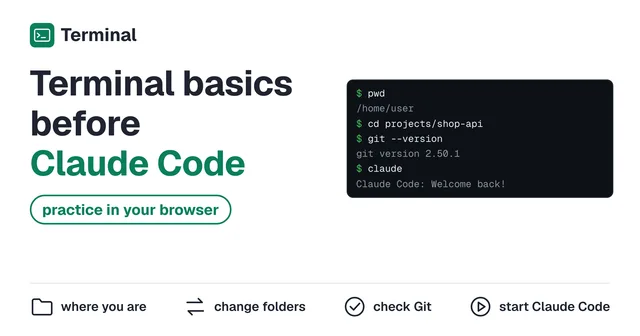 How to Use the Terminal Before Claude Code: Practice in Your BrowserPractice the terminal basics you need before Claude Code, in a terminal that runs in your browser. Checking where you are (pwd, ls), moving between folders (cd), looking inside files and checking Git, up to starting Claude Code and asking it something. Nothing to install and no sign-up.
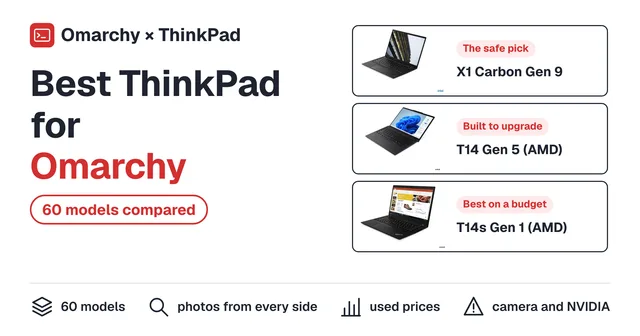 Best ThinkPad for Omarchy: 60 Models ComparedFind the best ThinkPad for Omarchy. Compare 60 models, from the X1 Carbon to the T14 and P14s, by official specs, photos from every angle and used prices.
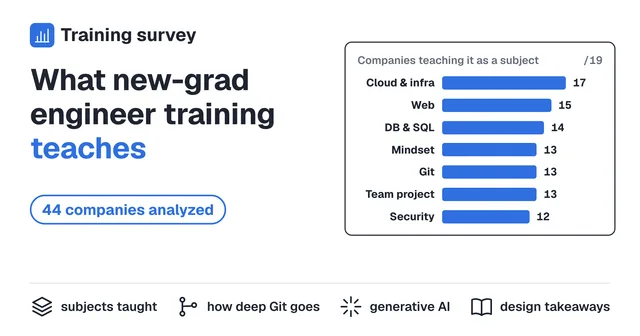 What Japanese Tech Companies Teach New-Grad Engineers: A Curriculum Analysis of 44 Companies (2026)Recruit, MIXI, Cybozu and 41 other Japanese tech companies publish the materials from their new-graduate engineer training. This analysis reads them and tallies how the curricula are built: which subjects they cover, what they now assume new hires already know, and how they handle generative AI.
Keys and commands
Basic Terminal Operations (Essential)
Practice →- Tab
- Complete a name
- ↑
- Bring back the previous command
- Ctrl+A/Ctrl+E
- Jump to start / end of line
- Ctrl+K
- Delete to the end of the line
- Ctrl+C
- Stop the running command
clear- Clear the screen
Basic Terminal Operations (Advanced)
Practice →- Ctrl+U
- Delete to the start of the line
- Ctrl+W
- Delete the previous word
- Ctrl+Y
- Paste what you just deleted
history- List the commands you ran
File System
Practice →pwd- Show where you are
Change the Current Directory
Practice →cd Documents- Go into a directory
Navigate to the Parent Directory
Practice →cd ..- Go up one level
Return to the Previous Directory
Practice →cd -- Go back to the previous directory
List Directory Contents
Practice →ls- List the current directory
ls Documents- List another directory without moving
Command Options
Practice →ls -a- Include hidden files
ls -l- Show permissions, size and date
Creating Files & Directories
Practice →touch memo.txt- Create an empty file
mkdir projects- Create a directory
Moving Files & Directories
Practice →mv memo.txt docs- Move into a directory
Renaming Files & Directories
Practice →mv old.txt new.txt- Rename
mv -n file02.txt projects- Skip if the name is taken
Copying Files & Directories
Practice →cp data.txt data.txt.bak- Copy a file
cp -r photos photos_backup- Copy a directory and its contents
cp -i data.txt data.txt.bak- Ask before overwriting
Removing Files & Directories
Practice →rm trash.txt- Delete a file
rm -r old_project- Delete a directory and everything in it
rmdir empty_dir- Delete an empty directory
BEGIN YOUR
JOURNEY
Join thousands of developers who've mastered the terminal. Your first lesson awaits.
Get Started →