For getting comfortable at the terminal
5 chapters · 18 lessonsAbout 3 h
Git Fundamentals
A free course on branching, team workflows with GitHub Flow & Git Flow, and conflict resolution. Practice each Git technique hands-on in your browser.
This course continues from Git Introduction
About this course
The next step after the introductory course. Learn Git operations essential for team development: branching, merging, GitHub Flow, Git Flow, conflict resolution, and practical techniques.
Covers pull request workflows, rebase vs merge, cherry-pick, and interactive rebase. Five chapters and 18 lessons of comprehensive content.
After this course, you'll be ready to join team development projects with Git, confidently handling branch workflows and code reviews.
Sample Lessons
Skills you'll learn
Branching & Team Development
Master branch operations and understand GitHub Flow vs Git Flow to participate in team development.
Conflict Resolution & Rebase
Resolve conflicts, choose between rebase and merge, and handle team development challenges.
Practical Techniques
History investigation, cherry-pick, and interactive rebase: practical skills for efficient team development.
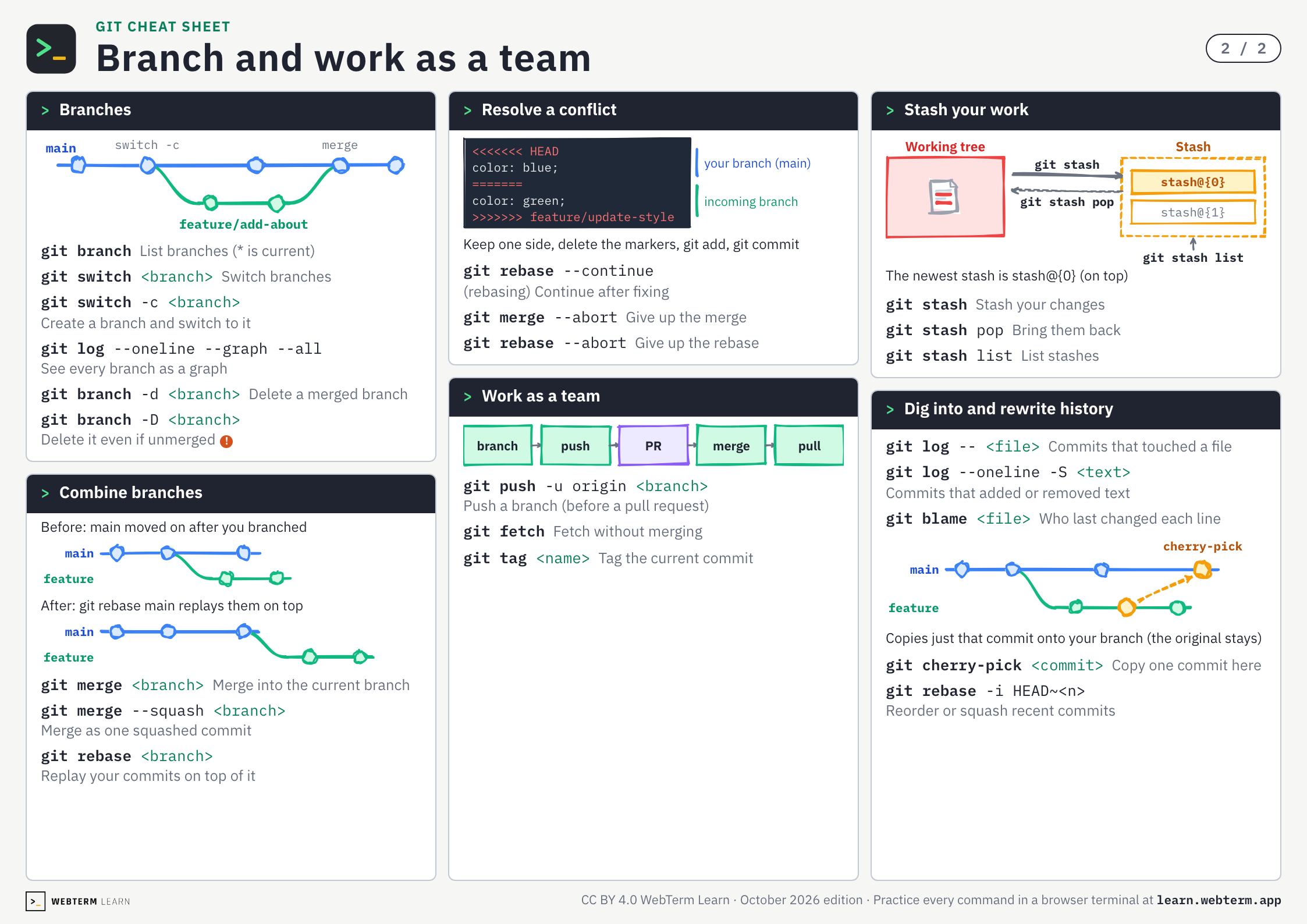
Git Cheat Sheet
Every command from the two Git courses on two A4 pages. The PDF is free and prints as is.
Who this course is for
Ready for the Next Step After Git Introduction
Build branching and team development skills on top of your foundational knowledge.
Starting Team Development with Git
Learn GitHub Flow, pull requests, conflict resolution, and team development practices hands-on.
Want to Master Branch Strategies and Rebase
Learn the differences between GitHub Flow and Git Flow, and when to use merge vs rebase.
Related Courses
Practice Makes Perfect
Git Fundamentals
Practice Git branching through repetition
Starting from Personal Projects
Git Introduction
Learn version control from scratch
Practice Makes Perfect
Git Introduction
Practice Git basics through repetition
Keys and commands
What Is a Branch?
Practice →git branch- List branches (* is current)
git log --oneline --graph --all- See every branch as a graph
Create and Switch Branches
Practice →git switch <branch>- Switch branches
git switch -c <branch>- Create a branch and switch to it
Merge Branches
Practice →git merge <branch>- Merge into the current branch
Three Types of Merge
Practice →git merge --squash <branch>- Merge as one squashed commit
Clean Up Branches
Practice →git branch -d <branch>- Delete a merged branch
git branch -D <branch>- Delete it even if unmerged
Understanding Branching Strategies
Practice →git push -u origin <branch>- Push a branch (before a pull request)
Develop on a Feature Branch
Practice →git fetch- Fetch without merging
git stash- Stash your changes
git stash pop- Bring them back
git stash list- List stashes
Merge with Pull Requests
Practice →git tag <name>- Tag the current commit
Resolve Conflicts
Practice →git merge --abort- Give up the merge
Rebase as an Alternative
Practice →git rebase <branch>- Replay your commits on top of it
git rebase --continue- (rebasing) Continue after fixing
git rebase --abort- Give up the rebase
Investigate Your History
Practice →git log -- <file>- Commits that touched a file
git log --oneline -S <text>- Commits that added or removed text
git blame <file>- Who last changed each line
Cherry-Pick Specific Commits
Practice →git cherry-pick <commit>- Copy one commit here
Clean Up History Before Pushing
Practice →git rebase -i HEAD~<n>- Reorder or squash recent commits
BEGIN YOUR
JOURNEY
Join thousands of developers who've mastered the terminal. Your first lesson awaits.
Get Started →