For getting comfortable at the terminal
1 chapter · 3 lessonsAbout 0.5 h
Git Fundamentals Drills
Free drills to practice team-oriented Git skills like branching and conflict resolution, hands-on in your browser.
This course continues from Git Fundamentals
About this course
A training course where you practice the commands from the Git Fundamentals course by using them repeatedly in team development scenarios.
Develop a feature on a branch and merge it, resolve conflicts, and backport a fix to a release branch with cherry-pick, then tag the release. By practicing these common team situations again and again, you'll stop hesitating over Git commands.
After completing this training, you'll use the commands from Git Fundamentals with confidence and join real team projects smoothly.
Sample Lessons
Skills you'll learn
From Branch Creation to Merge
Execute the full flow of creating a branch, working on it, merging, and cleaning up without hesitation.
Conflict Resolution
Handle conflicts from merge and rebase calmly and confidently.
Interruptions and Releases
Shelve work in progress with stash, bring a fix over to a release branch with cherry-pick, and mark the release with tag.
Who this course is for
Git Fundamentals Graduates
Put the commands you learned into practice with team development scenarios.
Those Uneasy About Conflict Resolution
Build confidence through repeated practice with realistic scenarios.
Those About to Join a Development Team
Master branching and workflows before stepping into real team projects.
Syllabus
1 chapter · 3 lessons
Related Courses
Related articles
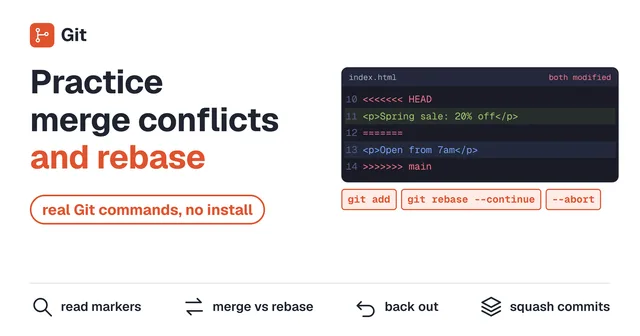 Practice Git Merge Conflicts and Rebase in Your BrowserPractice resolving Git merge conflicts and rebasing in a Git that runs in your browser. Read conflict markers, fix them with merge and with rebase, back out with --abort, and squash commits with rebase -i before you push. Nothing to install and no sign-up.
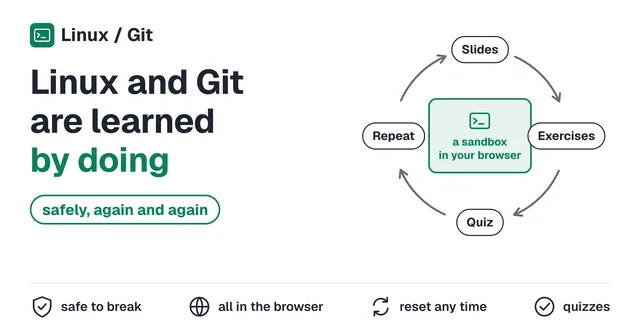 You Can't Learn Linux or Git by Reading. Practice Both Safely, as Many Times as You WantYou can't learn Linux or Git just by reading. Get real terminal experience in a safe, browser-based sandbox where mistakes cost nothing and every exercise repeats as many times as you want.
BEGIN YOUR
JOURNEY
Join thousands of developers who've mastered the terminal. Your first lesson awaits.
Get Started →